
Hi, I'm Rey! I produce a 6-piece virtual rock band called WASHABI using a hybrid human + AI workflow. We release a new 1-minute song and music video every Friday.
In our previous post (Hands-On with Suno MCP (Beta): Generating 60s Songs, Lo-fi Covers, and Free Audio/Lyric Analysis Directly from Chat), we connected the official Suno API (MCP) directly to our AI chat editor to test song generation, genre-swap covers, and zero-credit audio analysis.
Today, we're tackling one of the biggest headaches every Suno creator faces when bringing tracks into a DAW like Logic Pro: "How do you get clean, isolated single-instrument stems without watery separation artifacts or drum bleed?"
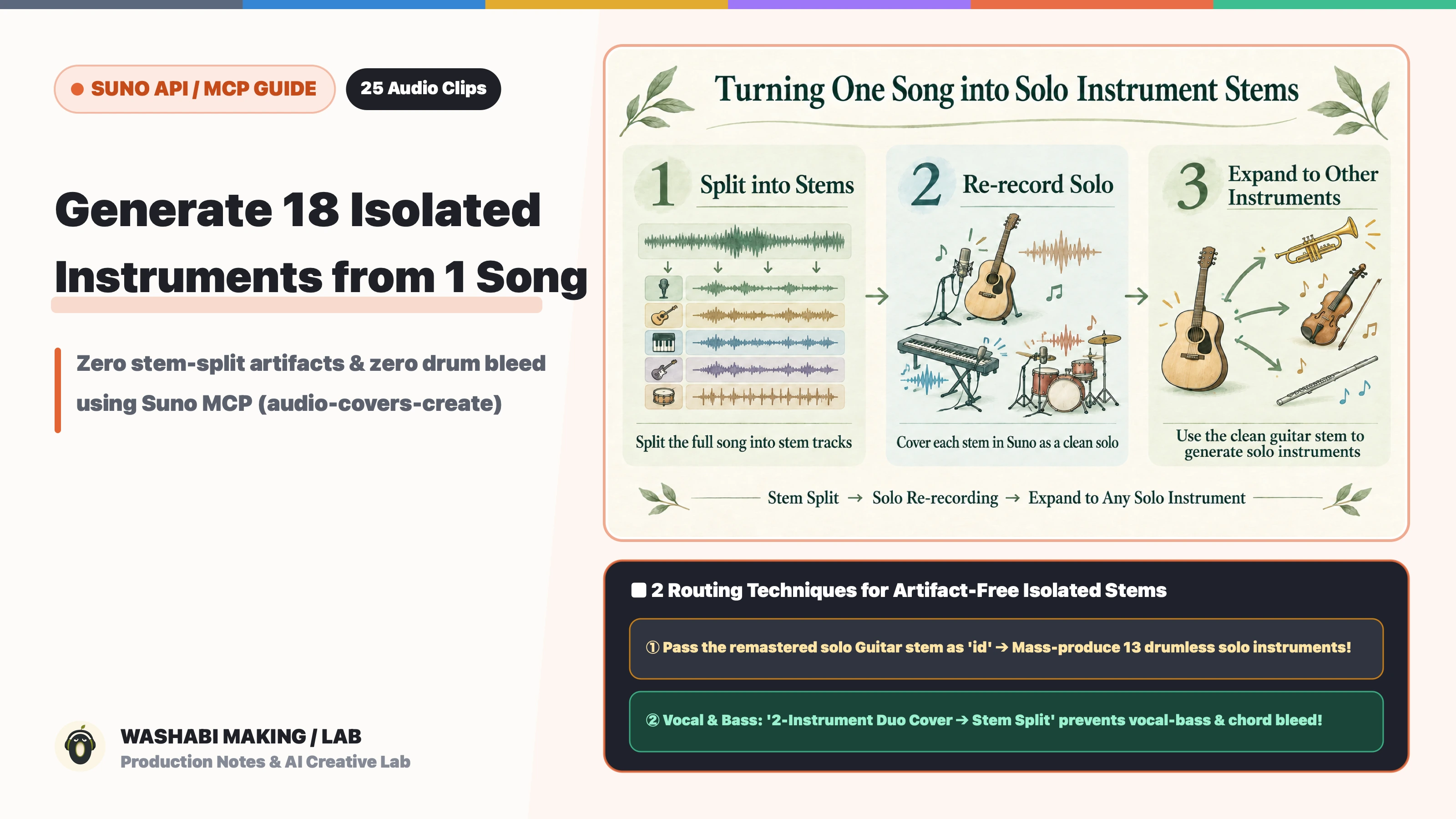
The short answer: by combining Suno MCP's cover tool (audio-covers-create) with two specific routing tricks, we were able to generate 18 crystal-clear, 100% isolated single-instrument tracks from a single song—consisting of 5 remastered core stems plus 13 brand-new unaccompanied solo instruments with zero drum or bass bleed!
First, listen to the difference between the standard Get Stems split (Before) and our Suno API Solo Re-Recording method (After) across the 5 core tracks (*switch tabs while playing to compare at the exact same chorus bar*):
Using the exact same workflow, we also generated 13 additional unaccompanied solo instrument tracks locked to the exact same chord progression, melody, and tempo (100 BPM, G major).
In this guide, I'll share every parameter, slider value, 4-block prompt, and workaround we used to generate all 18 isolated stems!
- Part 1 (Setup & Basics): Hands-On with Suno MCP (Beta): Generating 60s Songs, Lo-fi Covers, and Free Audio/Lyric Analysis Directly from Chat
- Interactive Prompt Catalogs (107 Styles): Suno Synth & Keyboard Catalog · Vocal Catalog · Guitar Catalog · Bass Catalog · Drums Catalog
1. Why Standard "Stem Splitting" and Normal "Covers" Fall Short
When you bring a Suno song into your DAW (like Logic Pro) because you want to push the guitar forward or layer brass, strings, or shamisen onto the chorus, you immediately hit two walls:
Wall 1: Subtractive Stem Splitting Sounds "Watery"
Suno's built-in stem extraction works by subtracting frequencies from a finished full mix. When soloed, every stem suffers from underwater-like phase artifacts, shaved-off high frequencies, and faint bleed from neighboring instruments. Furthermore, brass, strings, accordions, synths, and traditional instruments all get dumped into a single Other stem.
Wall 2: Covering a Full Mix Always Sneaks Drums & Bass Back In
At first, we tried passing the original full mix into audio-covers-create with a prompt like Solo trumpet only, no drums, no bass.
However, whenever you pass a full-band mix as the cover source (id), Suno almost always sneaks in a subtle brush snare or bassline—no matter how many times you write no drums, no bass in style and negative_style.
Why? Because raising audio_influence to 0.75–0.85 (to keep the original chord progression and melody) forces Suno's audio encoder to faithfully reproduce the sharp drum transients and low-end bass energy present in the source waveform.
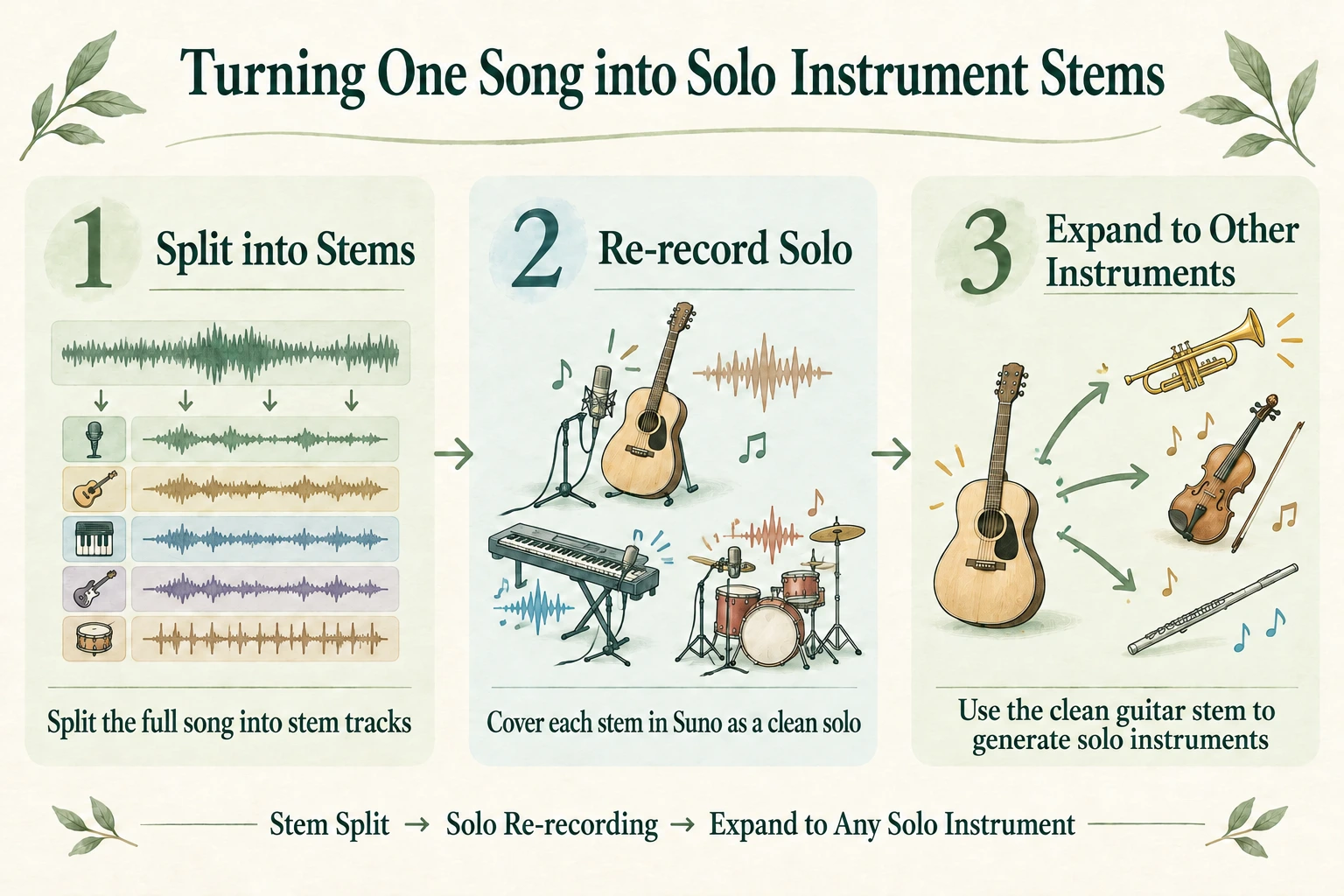
That led us to our core breakthrough: Instead of passing the full mix, pass an isolated single-instrument stem as the cover source (id), and ask Suno API to re-record one unaccompanied instrument at a time!
2. Step 1: Remastering the 5 Core Stems (`Guitar` / `Piano` / `Drums` / `Vocal` / `Bass`)
First, let's turn the 5 blurry stem-split tracks from our original song (Acoustic Guitar, Piano, Drums, Vocal, Bass) into pristine, studio-grade solo recordings.
The core idea is to take stem clip IDs from Suno's standard split and pass them into audio-covers-create as the source id. Through extensive testing, we found that the 5 core parts divide into two groups:
- 3 Parts That Remaster Cleanly in a Single Solo Cover (
Piano,Guitar,Drums) - 2 Parts Where Solo Covers Fail Because AI Tries to Fill Empty Frequencies—Best Solved via a 2-Step "Duo Cover → Stem Split" (
Vocal,Bass)
The slider and parameter values shown in this article (audio_influence, style_influence, weirdness, etc.) and the example prompts are specific settings that worked well for this song (a 100 BPM, G major rock track) and its separated stems—they are not universal magic numbers that will always be optimal for every track. Because ideal values depend on your source arrangement and the amount of stem bleed, treat these numbers as a starting baseline and fine-tune them by ear!
① Piano & Guitar: Direct Solo Cover + Blocking Vocal-Melody Bleed on Guitar!
Because the split Piano and Guitar stems contain almost zero drum transients, both can be remastered directly from their individual split stems. However, covering both at audio_influence: 0.88 reveals a subtle trap on Guitar:
- Piano (
audio_influence: 0.88): Because a piano naturally plays both chords and top-line melody,0.88produces a clean solo grand piano right out of the box. - Guitar (
audio_influence: 0.72+ Chord-Strumming Tags): A raw separated Guitar stem still carries faint mid-frequency vocal bleed. At0.88, Suno faithfully transcribes that faint vocal bleed into single-note lead melody lines played on top of the acoustic guitar chords!
By lowering audio_influence to 0.72 and explicitly enforcing chord strumming only (no lead melody) in both the lyrics structural tags and style, we eliminate vocal-melody transcription and get a pure acoustic rhythm backing stem:
{
  "id": "<Clip ID of the split Guitar stem>",
  "duration": 52,
  "controls": {
    "audio_influence": 0.72,
    "style_influence": 0.95,
    "weirdness": 0.08
  },
  "lyrics": "[Instrumental]\n[Rhythm Accompaniment Backing Track Only - No Lead Melody]\n[Steady Four-on-the-Floor Acoustic Guitar Chord Strumming Pattern Only]\n[Chorus - Strummed Chords Only, No Single Notes]\n[Outro - Strummed Chords Only]",
  "style": "Karaoke rhythm backing track, 100 BPM, G major, single acoustic rhythm guitar strumming open chords with a pick only, campfire chord strumming pattern only, monotonous steady chord strumming accompaniment with zero lead melody and zero single-note picking, no fingerstyle, no melody line, dry studio rhythm guitar stem",
  "negative_style": "lead guitar, melody, single note picking, guitar solo, fingerpicking, arpeggio, vocal melody, riffs, fills, drums, bass, piano, vocals"
}
Compare the raw stem split (Before) against the Suno API solo re-recording (After) for Guitar and Piano:
② Drums: Lower `audio_influence: 0.65` to Stop "Ghost Vocal/Guitar Hallucinations"
When we tried covering the split Drums stem at audio_influence: 0.88, something strange happened: faint ghost vocals and guitars started singing behind the drum kit!
Because the raw drum stem contained tiny traces of vocal/guitar bleed in the cymbal overheads, audio_influence: 0.88 caused Suno to "hallucinate" a full band out of that tiny bleed.
Two tweaks solved this completely:
- Lower
audio_influenceto0.65(high enough to lock the drum groove and fills, low enough to ignore faint bleed) - Pass explicit structural tags in
lyrics:[Instrumental]\n[Solo Acoustic Drum Kit Track Only - No Melodic Instruments, No Vocals]
③ Vocal & Bass (The Hardest Bosses): Use a 2-Step "Duo Cover → Stem Split" Workflow!
The two trickiest parts to isolate cleanly in Suno are Vocal and Bass.
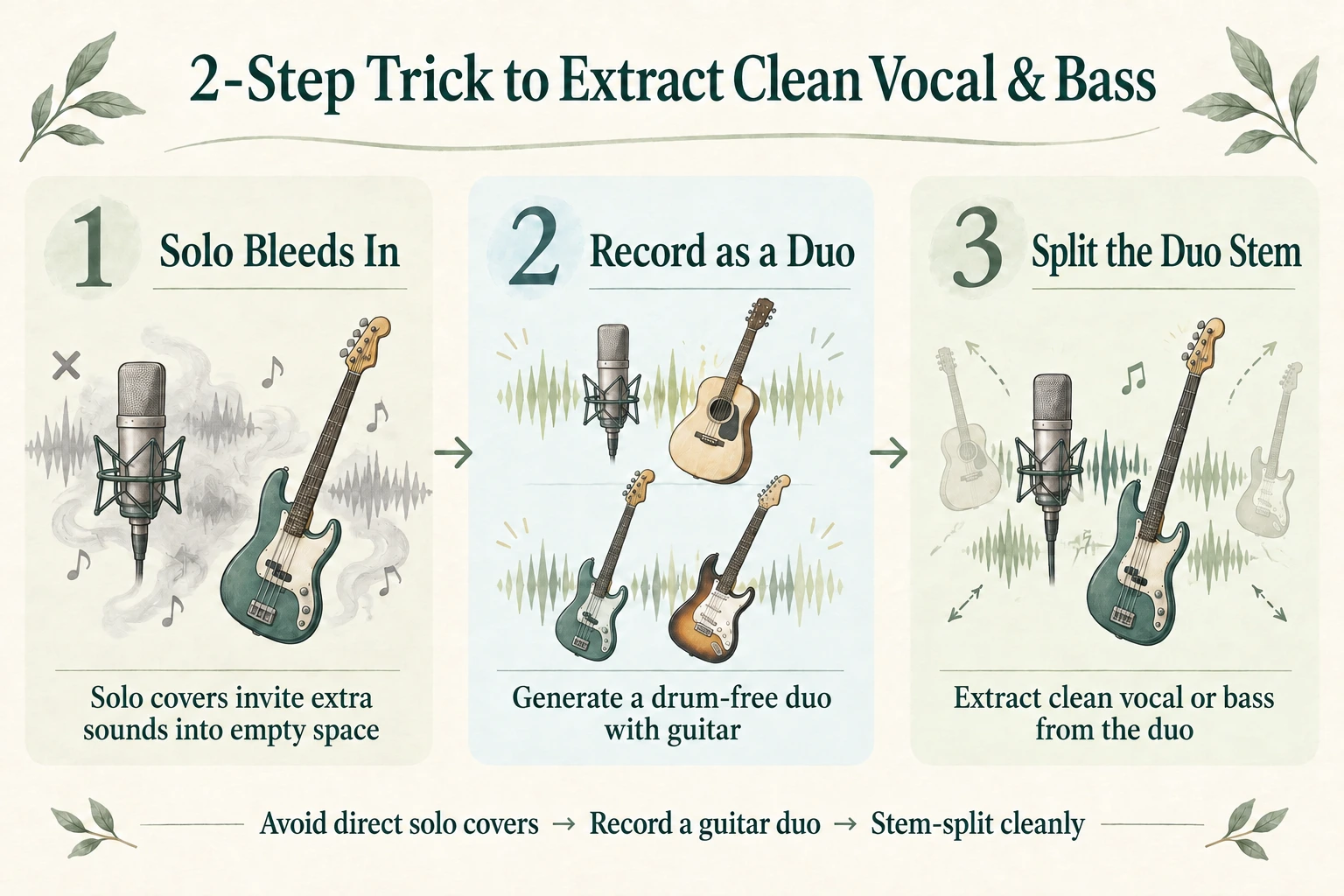
Whenever you ask Suno for a 100% solo vocal or a 100% solo bassline across a full song, the model resists leaving half the frequency spectrum empty—filling the low end behind a solo singer with a human "vocal bass," or filling the empty mid-highs above a bassline with guitars and chords.
#### A. Vocal: "Quiet Acoustic Guitar Duo Cover → Advanced Split Lead Vocal"
Initially, we banned all instruments and prompted a cappella solo vocal.
To our surprise, Suno automatically added a deep human "vocal bass" ("doom, doom, doom...") humming a bassline behind the lead singer! Whenever you ban bass guitars on a vocal track, Suno tries to fill the empty low frequencies with an a cappella bass singer—which clashes horribly once you mix your real electric bass back in.
Our verified solution is a 2-step "Quiet Acoustic Guitar Duo" workflow:
- Step 1 (Suno API Cover): Ban a cappella & vocal bass in
negative_style(a cappella, vocal bass, bass vocal, beatbox), and explicitly give Suno one very quiet fingerpicked acoustic guitar instyle(Very quiet delicate fingerpicked acoustic guitar in the background only). Because the acoustic guitar occupies the accompaniment role, Suno never invents a vocal bass or choir! - Step 2 (Suno Advanced Split): Open that generated
Vocal + Quiet Acoustic Guitartrack in the Suno web app and run Extract Stems & MIDI → Advanced Split (NEW) →Lead Vocal.
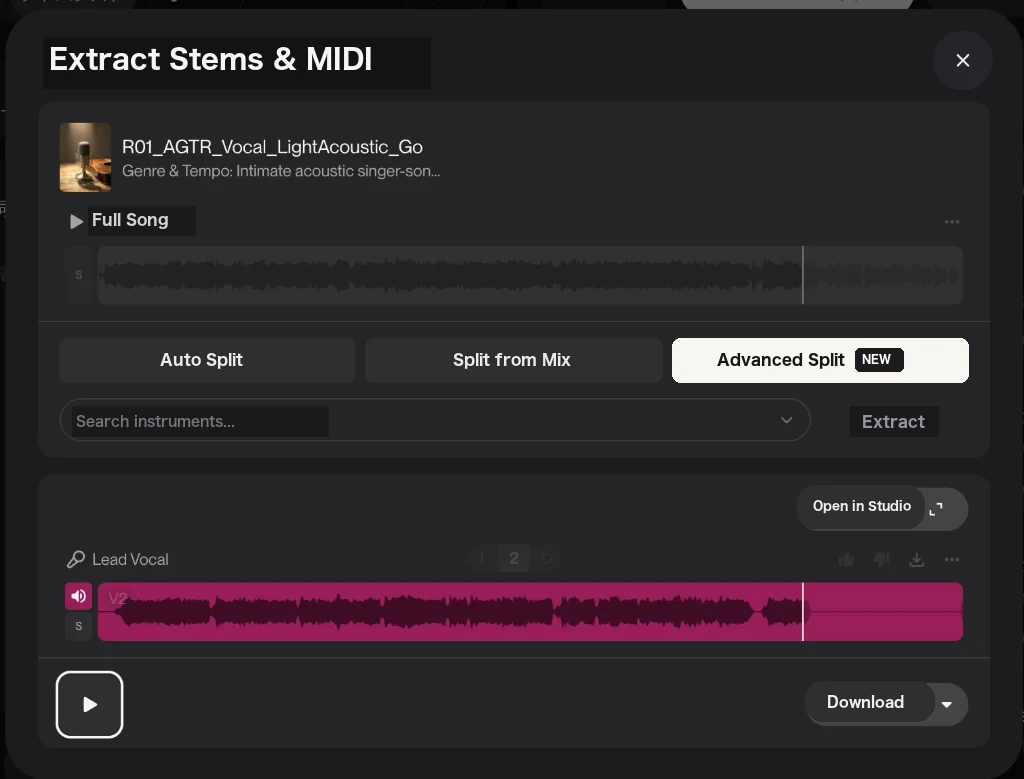
Because you're extracting the vocal from a sparse 2-element acoustic duo (with zero drums, zero bass, and zero backing choir) rather than a dense rock mix, the extraction is virtually artifact-free!
#### B. Bass: "Cover a 'Bass + Guitar' Source as an 'Electric Bass + Electric Guitar Duo' → Stem Split Bass"
Isolating a clean, full-length Bass track revealed two specific hurdles:
- Covering a raw split
Bassstem alone loses the intro and chord structure: Raw separated bass stems are often quiet in the intro and lack upper-harmonic chord cues, causing solo covers to drop out for the first 15 seconds or drift into a different song structure. - Prompting for a "100% solo bass" forces Suno to sneak chords back in: Suno strongly resists leaving the mid-to-high register completely empty for a whole song—either sneaking guitars/music-box chords back in or stopping the bass early. Worse, writing negative words like
"no guitar"inside the positivestylefield triggers the classic "pink elephant" problem, priming the model to generate guitar!
After testing dozens of combinations, the cleanest and most reliable best practice is: Use a "Bass + Guitar" mix as the cover source (id), intentionally prompt for an ELECTRIC BASS AND ELECTRIC GUITAR DUO (putting all negative exclusions strictly inside negative_style), and then extract Bass via Stem Separation (or keep the duo if the rhythm guitar fits your track!):
{
  "id": "<Clip ID of the combined Bass + Guitar source>",
  "duration": 52,
  "controls": {
    "audio_influence": 0.88,
    "style_influence": 0.85,
    "weirdness": 0.12
  },
  "lyrics": "[Instrumental]",
  "style": "ELECTRIC BASS AND ELECTRIC GUITAR DUO, 100 BPM, G major, minimal two-instrument rock backing track, deep consistent fingerstyle electric bass loud and center-stage playing a steady unbroken root bassline from bar one to the end, paired with bright clean-crunch electric rhythm guitar chord strumming in the upper-mid register, dry studio recording with clear frequency separation",
  "negative_style": "vocals, singing, voice, choir, drums, percussion, hi-hat, snare, kick drum, cymbal, shaker, acoustic guitar, nylon guitar, piano, keyboard, electric piano, organ, synthesizer, strings, brass, flute, bells, music box, bass solo, lead guitar solo"
}
Why this works so well:
- Passing "Bass + Guitar" as the cover source (
id) gives Suno both continuous bar-1-to-end rhythm and clear harmonic progression. - Zero negative words in
style: Instead of fighting Suno with"no guitar"instyle, we embrace a clean two-instrument frequency split (deep fingerstyle electric bass in the low end + bright clean-crunch electric rhythm guitar in the upper-mid register) and place all excluded instruments (drums, vocals, acoustic guitar, piano, synthesizer, bells, solos) strictly in the top-levelnegative_styleparameter. - Stem-splitting a drumless 2-instrument duo (
Get Stems → Bass) avoids kick-drum phase cancellation completely, yielding an articulate fingerstyle electric bass stem from bar 1 to the end (which you can lightly level in your DAW for rock-solid volume consistency).
3. Step 2: Generating 13 Brand-New "100% Unaccompanied Solo Instruments" via Suno API
Once your 5 core stems are clean, the real magic of Suno API (MCP) begins: generating 13 brand-new solo instrument tracks (Brass, Strings, 8-Bit Chiptune, Hammond Organ, Shamisen, Talkbox, Steelpan, etc.) that didn't exist in the original song, with 0% drum or bass bleed.
The Key Trick: Use the "Remastered Solo Acoustic Guitar Stem" as Your Cover Source (`id`)!
As we saw in Section 1, covering the full mix causes drum bleed.
Instead, we pass the remastered solo Acoustic Guitar stem from Step 1 (which has zero drums, zero bass, zero vocals, and plays the full chord progression and rhythm from 0:00 to 0:52) as the id for audio-covers-create!
This gives us two huge advantages:
- 100% Zero Drum & Bass Bleed: Because the source audio waveform physically contains zero kick/snare transients and zero sub-bass, even at a high
audio_influence: 0.78, Suno never hallucinates a rhythm section. - Continuous Full-Length Performance: Raw split stems often have quiet gaps where a solo cover stops playing early. Because our remastered acoustic guitar stem strums steadily from bar 1 to the final bar, all 13 solo instruments play continuously for the entire 52-second song.
Shared API Parameters & 4-Block Prompt Structure
We stripped out rhythm-triggering words like "shuffle" or "groove" and batch-generated all 13 instruments via Suno MCP using these exact parameters:
@@CODE_BLOCK_2@@
*Note: For each instrument, simply remove the target instrument's own family word from negative_style (e.g., remove keyboard when generating Hammond Organ; remove guitar and exclude acoustic guitar when generating Electric Guitar). As noted earlier, these controls values are an example tuned for this track—adjust them to fit your own song!*
4. Listen & Compare: All 13 Unaccompanied Solo Instrument Tracks
Listen to all 13 isolated solo instrument tracks generated from that single acoustic guitar stem!
Every clip is aligned to the exact same 6-bar chorus (100 BPM, G major)—click through the tabs while playing to hear 13 different instruments trade solos seamlessly over the exact same chord progression!
A. Brass, Strings, Woodwinds & Acoustic Folk (`7 Tracks`)
B. Synths, Keyboards, Electric Guitar & Mallets (`6 Tracks`)
Wrap-Up: From "Full-Song Gacha" to Multi-Track Session Recording with Suno API!
Until now, making music with Suno often felt like pulling a gacha lever—hoping a single generation would nail the arrangement and mix balance all at once, or settling for watery subtractive stems afterward.
By combining Suno API (audio-covers-create) with targeted Stem Separation, you can:
- Remaster your 5 core stems (
Piano,Guitar, andDrumsvia solo covers;VocalandBassvia 2-instrument duo covers + stem separation) into artifact-free studio tracks - Use the remastered solo acoustic guitar stem to generate 13+ unaccompanied solo instrument tracks locked to your song's exact chords, BPM, and structure with zero drum bleed
It turns Suno into an on-demand studio session player capable of recording any instrument part you can imagine!